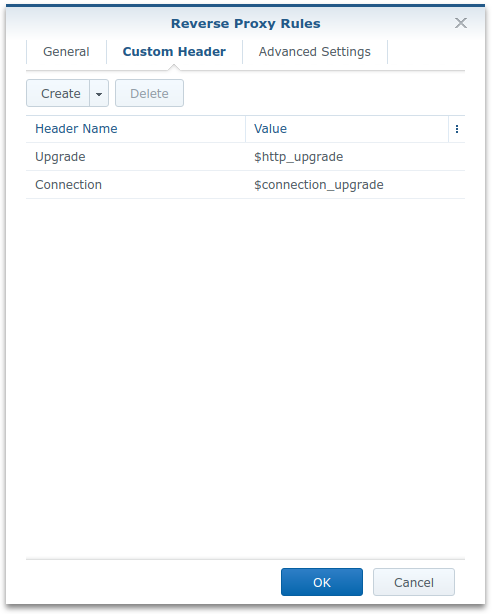
Enabling support for websockets in Synology DSM reverse proxy is easy:
- Open Control Panel > Application Portal
- Change to the Reverse Proxy tab
- Select the proxy rule for which you want to enable Websockets and click on Edit
- Change to the Custom Headers tab
- Add two entries in the list:
- Name: “Upgrade”, Value: “$http_upgrade”
- Name: “Connection”, Value: “$connection_upgrade”